By Meenakshi · Technology Writer · SevenFeeds ·
Published October 10, 2026
Quick summary
- There isn’t a single Copilot browser Windows 11 release date. Opt-in, IT-managed testing is available now; a broader rollout begins in late November 2026.
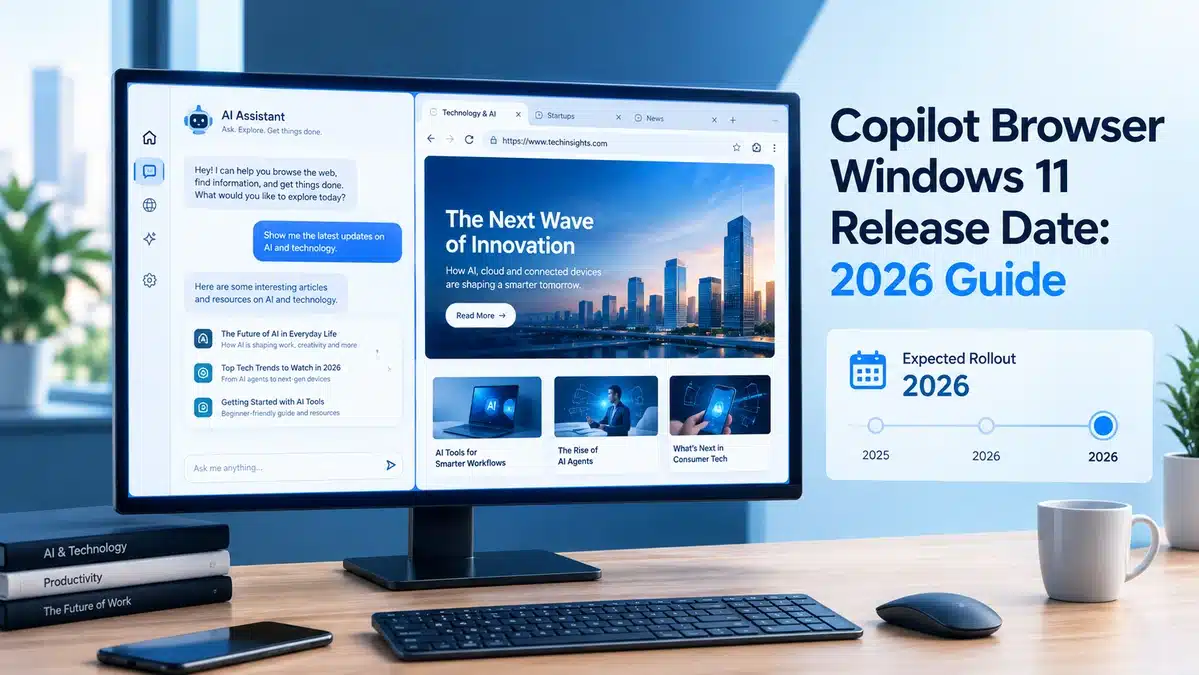
- It’s not a full standalone browser — it’s a resizable side panel inside the Copilot app that opens links from chat, with tabs, full-screen mode, and an “open externally” option.
- Right now, only organizations that opt in through device management can use it. Everyday users on personal devices will most likely see it arrive with the November wave.
- Browsing data — history, cookies, autofill — is stored locally on the device, the same way Microsoft Edge stores it.
- If you want early access, ask your IT administrator about the ‘BrowsingEnabled’ policy. Otherwise, the safest expectation is late November 2026.
If you’ve been searching for the exact Copilot browser Windows 11 release date, you’re not alone — Microsoft confirmed its rollout plan through an official message to IT administrators on September 21, 2026, and several outlets picked up the story within hours. Here’s the detail most headlines glossed over: there isn’t one release date. There are two, and which one applies to you depends on whether you’re on a managed work device or your own PC.
When Is the Copilot Browser Windows 11 Release Date, Exactly?
Microsoft’s own Message Center entry lays out two distinct phases. Opt-in availability is live now, but only for Windows and Mac devices that an organization’s administrator has specifically enrolled for early testing. The broader rollout — the point at which most people, including everyday consumers, are likely to see the feature by default — begins in late November 2026.
Microsoft first started testing an early version of this feature back in March 2026, so by the time the November rollout lands, the company will have had roughly eight months of real-world feedback to work from.
What the Copilot Browser Actually Is (and Isn’t)
Despite some headlines framing this as Copilot “rivaling” traditional browsers, Microsoft’s own description is narrower and more specific: when you click a link inside a Copilot chat, the website now opens in a side panel next to the conversation, instead of launching your separate default browser.
Here’s what that side panel actually supports:
- Multiple tabs — each link you open gets its own tab within the side panel, and you can switch between them.
- Resizing — you can make the panel smaller or larger depending on how much screen space you want to give it.
- Full-screen mode — a toggle lets you expand the website to fill the screen when you need to focus on it.
- External browser option — you’re not locked in. A three-dot menu lets you push any open page out to your actual default browser, or you can copy the URL and paste it elsewhere.
Microsoft has also been explicit about one thing: this feature doesn’t add any new generative AI capability. It’s purely a way to view web pages without leaving the Copilot app — the AI chat itself works exactly as it did before.
💡 Highlight: This Is an IT-Administered Rollout, Not a Personal Toggle
This is the detail that’s easiest to miss in the coverage so far. Enabling in-app browsing right now requires an administrator to turn on a device management policy called ‘BrowsingEnabled’ — it isn’t something an individual user can just switch on in Settings today. If you’re on a personal, unmanaged PC, the realistic timeline for you is the broader November rollout, not the current opt-in phase.
Copilot’s In-App Browser vs. a Full Default Browser
| Copilot In-App Browsing | Full Browser (Edge/Chrome/etc.) | |
| Where it opens | Side panel inside the Copilot app | Its own separate application window |
| Tabs | Yes, within the side panel | Yes, full tab management |
| Extensions / bookmarks | Not part of the current feature | Fully supported |
| Purpose | View links shared in a Copilot chat | General-purpose web browsing |
| Data storage | Local device storage, same method as Edge | Local device storage |
| Who can enable it (currently) | IT admins, via device policy | N/A — browsers are user-installed |
| Availability | Opt-in now; broad rollout late Nov 2026 | Already available |
🖼️ Comparison graphic placeholder: A simple two-column visual version of the table above, using icons (a chat bubble for Copilot, a compass/globe for a traditional browser). Alt text: Copilot browser vs full web browser comparison Windows 11 Caption: Same basic idea as opening a link in Teams or Reddit’s app — just applied to Copilot.
Why Microsoft Is Doing This Now
This update lands alongside a broader push to make Copilot the default place people start their day on Windows, not just a sidebar they occasionally open. It follows Microsoft’s move to merge Copilot and Microsoft 365 Copilot into a single, unified app across platforms, and it echoes a pattern Google has already tested successfully on mobile — where opening a link from Gemini keeps someone inside Google’s ecosystem rather than immediately handing them off to a separate browser app.
Whether the same habit forms on desktop is genuinely unclear. Getting people to change a years-long default behavior — clicking a link and expecting their usual browser to open — is a real adoption hurdle, not a guaranteed win just because the technology exists.
Opportunities and Real Limitations
What’s genuinely useful here: fewer app switches when you’re researching something inside a Copilot conversation, a workflow that already feels familiar from apps like Teams, X, and Reddit, and the reassurance that data handling mirrors Edge’s existing local-storage approach rather than introducing something new.
What’s still limited: this isn’t a bookmarks-and-extensions replacement for your main browser, it’s currently gated behind IT policy rather than a personal setting, and it’s genuinely too early to know whether Microsoft will expand it into a fuller browser experience or keep it scoped narrowly to “view links from chat.”
Future Outlook: What to Watch After November 2026
Based on what’s confirmed so far, the realistic next milestone is simply the broader rollout itself — watch for the in-app browser appearing by default in the Copilot app on Windows and Mac once late November arrives. Beyond that, Microsoft’s separate work on a unified Copilot app and its early, unconfirmed “Copilot OS” exploration (reported elsewhere as Project Aion) suggest the company sees Copilot as a long-term platform, not just a chat window — but neither of those projects has a confirmed connection to this specific browsing feature, so treat that as context rather than a prediction.
Pro tip: if you manage a Windows fleet and want to test this before your users ask about it, the fastest path is enabling the ‘BrowsingEnabled’ policy on a small pilot group now rather than waiting for the November default rollout to hit everyone at once.
FAQ
What is the Copilot browser Windows 11 release date? Microsoft hasn’t set one single release date. Opt-in, IT-managed testing is available now, and the broader rollout to more users begins in late November 2026.
Is the Copilot in-app browser available right now? Yes, but only for organizations that have opted in through admin device management — it isn’t a toggle regular users can switch on themselves yet.
Does the Copilot browser replace Microsoft Edge? No. It’s a side panel inside the Copilot app for viewing links shared in chat, not a standalone, general-purpose web browser with its own extensions or settings.
Is my data private when I use the Copilot in-app browser? Microsoft says browsing history, cookies, and autofill data are stored locally on your device, using the same storage approach as Microsoft Edge.
Will the Copilot browser work on Mac as well as Windows 11? Yes. Microsoft’s announcement covers both the Windows and Mac versions of the Copilot app.
Can I get early access before the November rollout? Only through your organization’s IT administrator, who can enable the feature using the ‘BrowsingEnabled’ device management policy.
Sources
- Microsoft 365 Message Center Archive (MC1474455) — official announcement, in-app browsing rollout details
- Windows Central — “Will this upcoming update make Copilot your preferred browser on Windows 11?” (Sean Endicott, Sept 21, 2026)
- BetaNews — “Microsoft brings tabbed browsing to Copilot for Windows and Mac” (Sofia Elizabella Wyciślik-Wilson, Sept 21, 2026)
About the Author
Meenakshi Technology Writer, SevenFeeds
Meenakshi covers Microsoft, AI platforms, and the tools shaping everyday computing for SevenFeeds, with a focus on separating what’s officially confirmed from what’s still speculation.
